Storeganise Q4 2026 Updates
Customer replies now land in Storeganise instead of someone’s inbox, insurance has been rebuilt, and five other changes are live.

Written by: Miles Davison
Data validated by: Storeganise team
Published: 10 November 2026
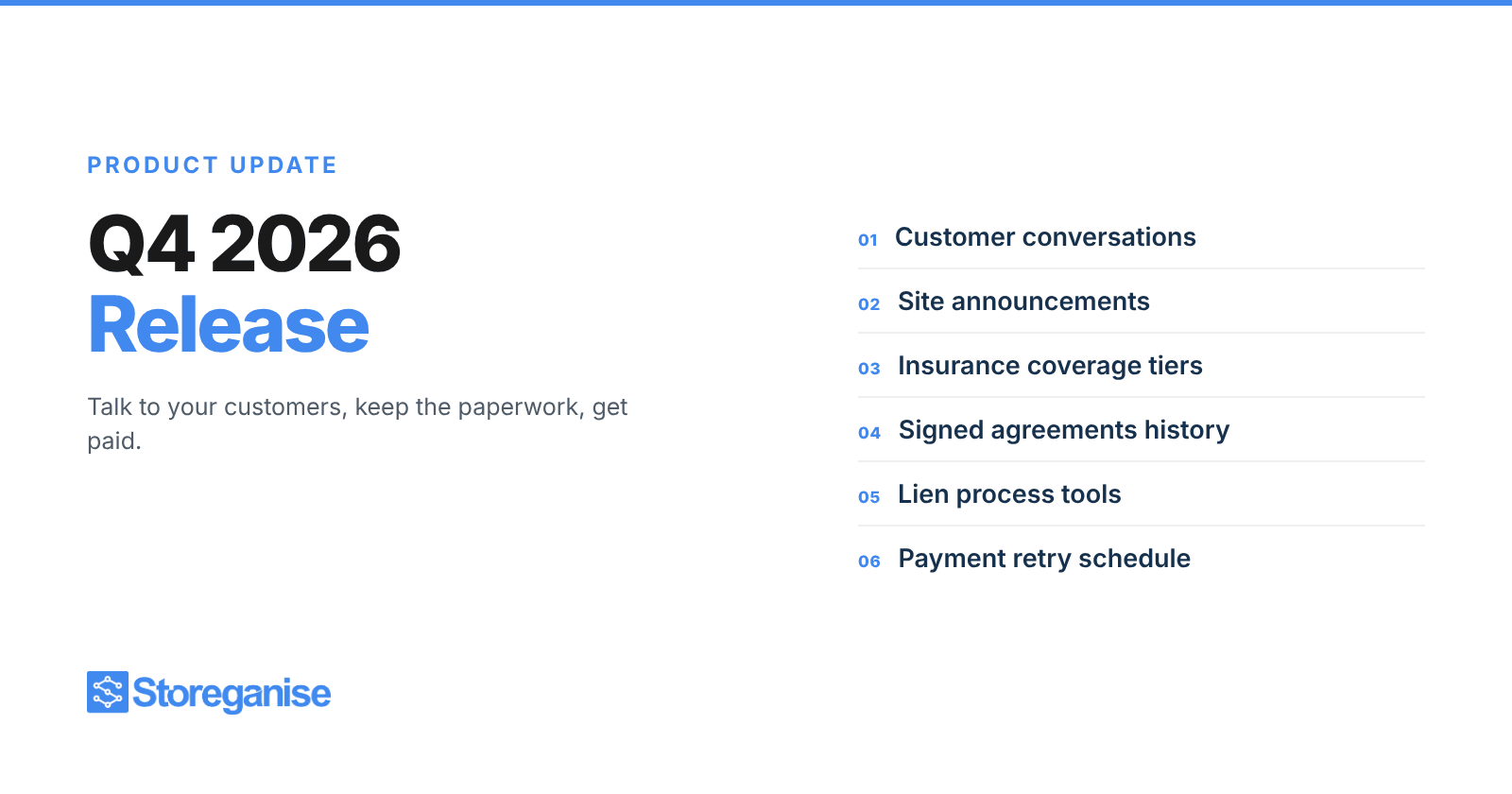
Three themes run through this release: talking to your customers, keeping the paperwork, and getting paid. Seven changes in total, led by two-way email in the Management Portal and a rebuilt insurance product.
Everything below is live now.
Reply to customers without leaving Storeganise
Customer replies now land in Storeganise, next to the emails you sent them. Your team answers from one place instead of switching to a separate inbox.
Conversations appear against the customer, the site and the unit rental, and there is a new Messages page that shows them across the whole business. Replies to invoice and receipt emails come through too, not just messages you write yourself.
What's new:
- Replies on the customer record. Conversations sit against the customer, site and unit rental, including replies to invoices and receipts.
- One Messages page. See every conversation across the business and reply using your existing templates and variables.
- Unread highlighting and notifications. Spot new replies at a glance, with an optional "Customer reply received" notification.
- PDF export. Download a conversation when you need a written record.
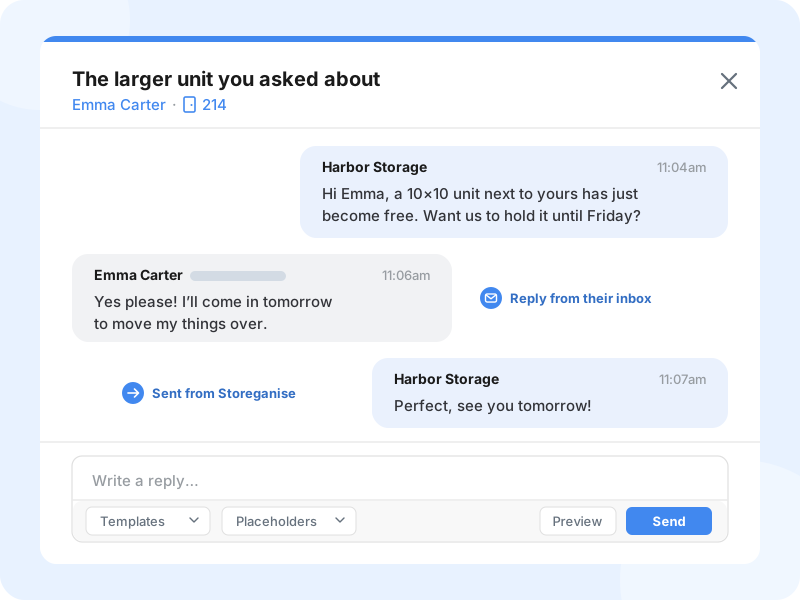
Customers reply straight from their own inbox. No login, no portal, no change on their side.
A few things to know before you switch it on. It is off by default, in Settings > Emails. Only replies to emails sent from Storeganise appear, so messages sent directly to your business address will not show up yet. Replies are text only, and attachments are not saved.
Tell everyone at a site in one go
Gate maintenance, an access restriction, a change to opening hours. Some news has to reach everyone renting at a site, and until now that meant exporting a list and building the email somewhere else.
You can now send an announcement to everyone at a site, or to one unit type when only part of the site is affected.
What's new:
- Individual emails. Each renter gets their own email, in their own language.
- Review before sending. Check the recipient list and the language breakdown before anything goes out.
- Reusable templates. Save the announcements you send often.
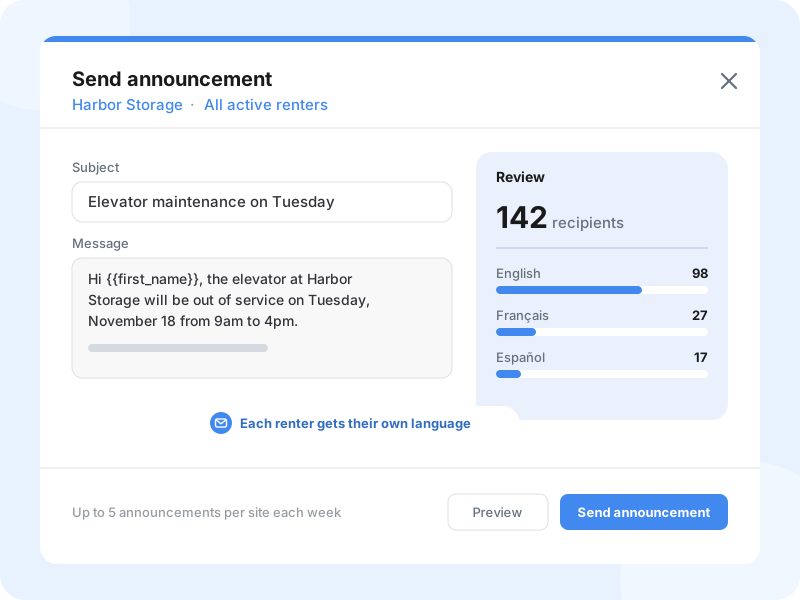
Each site can send up to five announcements a week, and every one is logged in the site's History.
A simpler way to offer insurance coverage
Insurance is now its own product type rather than an ordinary add-on product. Each site has coverage tiers, each with a name, a coverage amount and a price, and the customer picks exactly one when they book.
That last part fixes a real problem. When tiers were separate products, a customer could select two of them and end up paying for two levels of cover on one unit.
What's new:
- Require a selection. Make choosing a cover option mandatory at booking.
- Accept outside insurance. Customers can bring their own policy and upload proof after booking, which your team approves or rejects from the move-in checklist.
- Manage coverage and pricing. Track covered rentals and pending proofs, set a custom price on a single rental, or bulk update prices with a CSV.
- Report and share. An Insurance card on the site Overview shows cover over the last 12 months and any proofs still waiting. Insurance is in the rentals CSV export and the API, so sending your provider a list of policies is quick.
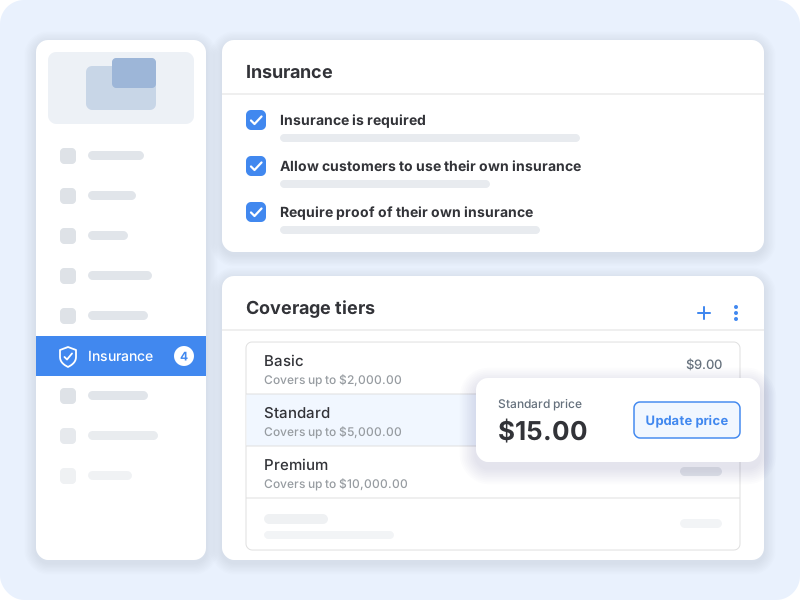
Two details worth knowing. Each rental keeps the price it signed up at, so changing a tier's price or removing a tier only affects new customers; to reprice existing ones, use the CSV bulk update and tell them yourself, because no email goes out automatically. And insurance you already sell as a regular product keeps billing exactly as it does today, but it is not moved across, so it will not appear in the new insurance reporting.
Every signed agreement in one place
Each rental now keeps a full history of the customer's signed agreements rather than just the most recent one.
For electronic signatures you can see who signed, when, their IP address and device, and which steps they completed. Managers can request a new signature whenever one is needed, and customers are prompted to sign again after a unit transfer.
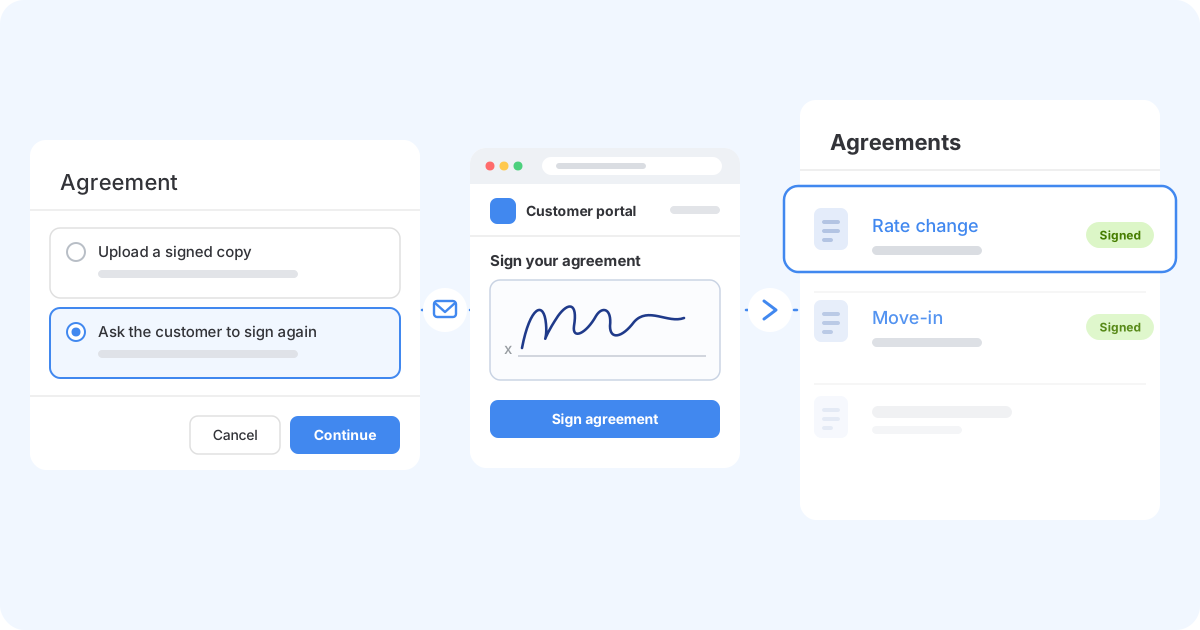
Signed on paper? Upload the PDF from the rental or during move-in, up to 10 MB. It sits in the same list as the electronic ones, so there is one place to look rather than two.
Run your lien process in Storeganise
Operators running a lien process have had to do parts of it outside Storeganise. Three changes in this release move more of it inside.
What's new:
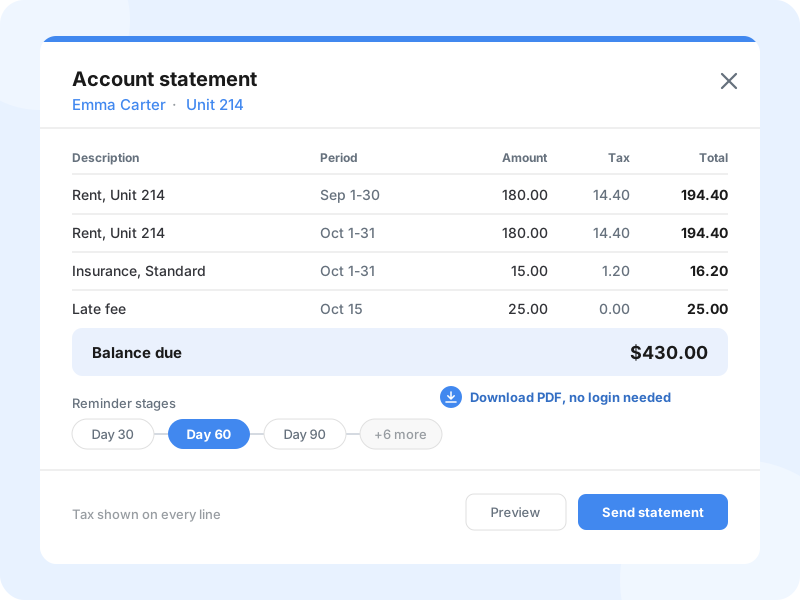
- Itemized account statements. Tax shown on each line, with a downloadable PDF.
- Nine invoice reminder stages. Up from six, which leaves room to schedule notices at days 30, 60 and 90.
- Conversation exports. Download a customer's email conversation as a PDF for your records.
Choose when failed payments retry
Automatic retries for failed invoices now follow a schedule you set. Pick up to four retry days that suit your business, or keep the default of days 1, 3, 5 and 7.
Customers also stop receiving an email on every single attempt. The repeated notifications were doing more harm than good while you were still working to collect.
Other improvements
- Move-in reminders. Customers with unfinished tasks, such as signing their agreement, confirming their email, verifying ID or paying the first invoice, get a reminder the day before and again on move-in day. The "unit reserved" email now carries more detail about what to do next.
- CC on customer emails. Copy up to three extra addresses on a customer's outgoing emails, which is useful for business accounts.
- Email controls per customer. Turn emails off for one customer. Bounced addresses are flagged and paused automatically, with a task raised for your team to fix the address.
- Maximum move-out notice. Set how far ahead customers can schedule a move-out in the portal, with a separate setting per site.
- Website scripts and HTML. Add scripts to the Head or End of body of your customer app and website, including placing a consent tool ahead of your tracking scripts. A new Custom HTML block in the website editor previews changes as you edit.
- Add-on catalog. Browse more than 50 add-ons by category, or search for the one you need.
For add-on developers. Add-ons can now display their own pages inside the Management Portal, including settings screens and sections on customer and unit pages. Get in touch if you would like early access to the toolkit.
Questions
Ask us in the app or email support@storeganise.com. Support is open 24/5, and we read everything.
The Storeganise Team